How to Choose an ITSM Tool in 2026: A Practical Buyer’s Guide
What’s a Rich Text element?
The rich text element allows you to create and format headings, paragraphs, blockquotes, images, and video all in one place instead of having to add and format them individually. Just double-click and easily create content.
Static and dynamic content editing
A rich text element can be used with static or dynamic content. For static content, just drop it into any page and begin editing. For dynamic content, add a rich text field to any collection and then connect a rich text element to that field in the settings panel. Voila!
How to customize formatting for each rich text
Headings, paragraphs, blockquotes, figures, images, and figure captions can all be styled after a class is added to the rich text element using the "When inside of" nested selector system.
1 element
2 element
3 element
1 element
2element
3 element
Choosing ITSM software is not about finding the longest feature list. Deployment, security, integrations, AI architecture, implementation and total cost often matter much more. Here is a practical framework for evaluating ITSM tools in 2026.
Choosing an ITSM platform can look straightforward until you actually start comparing vendors.
Most systems promise a familiar set of capabilities: ticket management, SLA tracking, automation, self-service, knowledge management, reporting, integrations and, increasingly, AI. Product demos are polished. Feature matrices are long. At first glance, many platforms appear surprisingly similar.
The real differences become visible when you try to fit the software into the way your organisation actually works.
That is why the most useful question is not:
Which ITSM tool has the most features?
It is:
Which ITSM platform best fits our processes, infrastructure, security requirements, integrations and operating model?
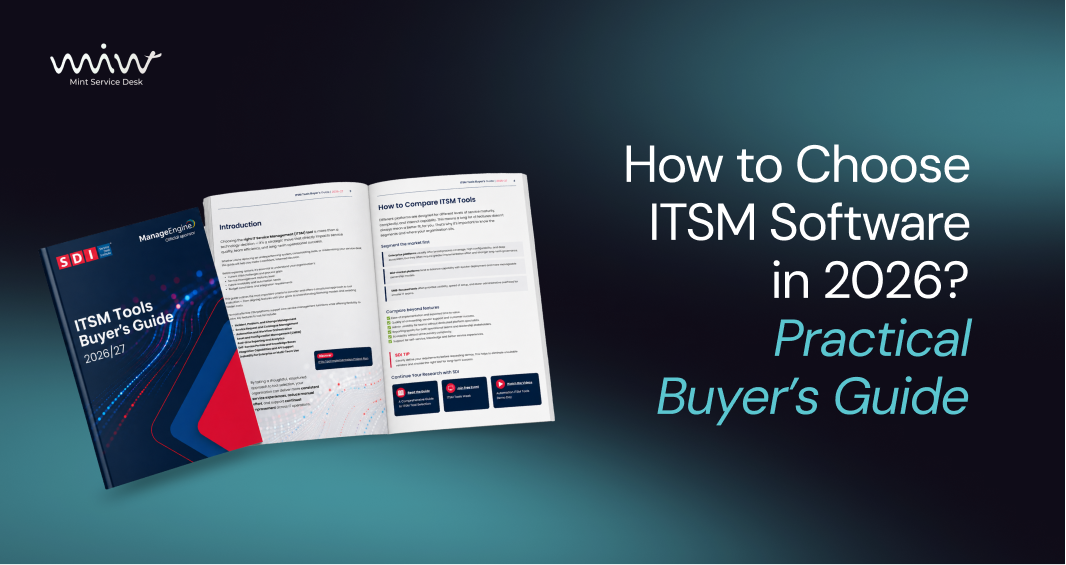
This is also why buyer guides still matter. TheService Desk Institute ITSM Tools Buyer’s Guide 2026/27 is designed to help organisations compare ITSM solutions beyond a simple feature checklist. Mint Service Desk is featured in the current edition alongside other solutions available to IT service management teams.
If you are currently reviewing ITSM software, building a shortlist or planning to replace an existing service desk, the following criteria deserve more attention than another column of checkmarks.
TL;DR: Start with your organisation’s requirements, not the vendor’s feature list. Evaluate process fit, deployment, integrations, security, AI architecture, usability, reporting, implementation and total cost of ownership. Then test shortlisted platforms against real workflows from your own environment.
ITSM Tools Buyer’s Guide 2026/27 by the Service Desk Institute. Mint Service Desk is featured in the current edition.
1. Start with the problem, not the ITSM feature list
One of the easiest ways to make an ITSM selection unnecessarily complicated is to start with a spreadsheet containing hundreds of features.
Does the system support SLA management? Yes.
Does it offer automation? Yes.
Does it have an API? Yes.
Does it provide a self-service portal? Yes.
After enough questions like these, most vendors begin to look similar.
The problem is that a “yes” tells you very little about how a feature will work in your actual environment.
Before comparing ITSM tools, document why you are considering a change in the first place.
Perhaps your existing platform has become too expensive as the number of agents grows. Maybe workflows no longer reflect the way teams work. Perhaps SLA tracking requires too much manual effort, users bypass the portal and email the service desk directly, or asset information sits in a separate tool with no connection to tickets.
For some organisations, the most important constraint is architectural rather than functional. Internal policy may require the platform to run on company-controlled infrastructure. Sensitive ticket content may not be allowed to leave the organisation. Existing business systems may only be accessible from the internal network.
Those constraints should shape the shortlist before the first demo takes place.
Searching for the best ITSM tools can be a useful starting point. But no ranking knows which requirements are non-negotiable for your organisation.
2. Decide whether you need Cloud, Managed or On-Premises ITSM
Deployment should be one of the first filters in an ITSM evaluation.
There is no universally superior deployment model. There is only the model that is better aligned with your organisation’s requirements.
Cloud ITSM
A cloud service usually reduces infrastructure responsibility and makes it easier to start quickly. The vendor maintains the application environment and handles much of the technical administration.
This model is particularly attractive when speed of deployment and low infrastructure overhead are more important than direct control of the environment.
Managed ITSM
A managed deployment provides a middle ground. The organisation can use a dedicated environment while the technical operation of that environment remains with the provider.
When evaluating managed ITSM, clarify what “managed” actually means. Ask who controls updates, backups and administrative access, where the environment is hosted and which responsibilities remain with your internal team.
On-Premises ITSM
On-premises deployment is still relevant when infrastructure control is a requirement rather than a preference.
This can apply to regulated environments, restricted networks, internal security policies, data residency requirements, integrations with systems that are not externally accessible, or organisations that want to run AI locally.
The trade-off is straightforward: greater control over infrastructure also means greater responsibility for operating it.
Mint Service Desk supports different deployment models for organisations with different infrastructure and operational requirements. For teams evaluating self-hosting in particular, it is worth considering deployment architecture before comparing secondary product features.
3. Test your real processes instead of asking whether a workflow exists
Every ITSM demonstration looks easier when the vendor controls the scenario.
A ticket arrives. A rule categorises it. The correct team receives it. An SLA starts. A dashboard updates.
Real service processes tend to be less cooperative.
Take several real scenarios into the evaluation and ask each vendor to show how they would work.
An access request may require approval from a manager before it reaches IT. A hardware issue may need to be linked to a particular device. A customer request may only be accepted if an active service contract exists. Employee onboarding may involve IT, HR and administration.
A useful ITSM evaluation should therefore answer not only whether the system can support the process, but how much effort is required to configure it and what happens when that process changes later.
The important distinction is between standard configuration, custom development and workarounds.
A platform is not flexible because a brochure says it is flexible. It is flexible when your team can adapt real processes without creating a maintenance problem.
4. “We have an API” is not an integration strategy
A service desk rarely operates in isolation.
It may need to work with identity providers, HR systems, endpoint management platforms, asset inventory tools, monitoring, email, ERP, CRM or custom internal applications.
That is why asking whether an ITSM tool “has an API” is only the beginning.
You should also understand whether the API is included in the plan you are evaluating, how authentication works, whether ready-made integrations exist, whether information can move in both directions and who is responsible for maintaining the integration when one of the connected systems changes.
Asset data is a good example.
Mint Service Desk can work with information provided by external asset management and discovery systems. For example, the Mint Service Desk integration with Lansweeper connects discovered asset information with service desk workflows, giving agents access to asset context while handling tickets.
The important distinction is that an ITSM platform does not necessarily need to perform discovery itself if the organisation already has a specialised tool for that purpose.
5. Asset Management and CMDB are not automatically the same requirement
“CMDB required” appears in many ITSM procurement documents.
But organisations do not always need the same thing when they use the term.
One team may simply need to know which laptop is assigned to a requester, link a device to an incident and review previous tickets associated with that asset.
Another organisation may need detailed Configuration Items, dependency modelling, service relationships and impact analysis across applications and infrastructure.
Those are different requirements.
Before making a native CMDB mandatory, ask a more practical question:
What operational decision do we expect the CMDB to support?
If the requirement is primarily inventory and ticket-to-asset context, asset management integrated with your existing discovery or endpoint platform may be sufficient.
If the organisation needs detailed service dependency modelling and impact analysis, the shortlist should be assessed specifically against that requirement.
Mint Service Desk provides IT Asset Management and can work with asset information supplied through integrations and imports.
Mint does not position this functionality as a native enterprise CMDB, so organisations requiring advanced CMDB modelling should assess that requirement separately.
That distinction matters when comparing vendors: two products with a “CMDB” checkmark in a comparison table may provide very different levels of capability.
6. Do not ask only whether the ITSM platform has AI
In 2026, the phrase “AI-powered ITSM” is becoming too broad to be useful on its own.
AI can summarise a long ticket history, suggest a reply, classify a request, identify similar incidents, search knowledge or support routing.
Those are materially different use cases.
There is another question that is just as important:
What happens to ticket data when the AI analyses it?
A ticket can contain names, customer information, infrastructure details, application names, internal conversations, error logs, attachments or information related to a security incident.
Before enabling AI on production service desk data, understand which information reaches the model, where the model runs and whether the data leaves your environment.
Three broad architectures may appear in the market:
an external AI API,
AI operated within a vendor’s cloud environment,
a model running locally in infrastructure controlled by the organisation.
None should be evaluated on the word “AI” alone.
Mint Service Desk provides AI On-Premises, designed to process service desk information locally within the organisation’s infrastructure rather than sending ticket content to an external cloud model.
This makes AI architecture an important part of the ITSM buying decision, particularly for organisations with strict requirements around data control.
7. Evaluate self-service from the employee’s perspective
A self-service portal can contain dozens of functions and still fail.
The reason is usually adoption.
Administrators see forms, fields, categories and workflow rules.
Employees see one question:
Can I get what I need without understanding how the service desk is organised?
During an ITSM evaluation, give someone who is not involved in the project a few simple tasks.
Ask them to report an incident, request access to a system and check the status of an existing request.
Then observe what happens.
Do they know which category to choose? Does the form ask for information they understand? Can they tell what will happen after submission? Can they find their request again?
If the answer is no, users will probably return to email regardless of how sophisticated the portal looks during a demo.
Self-service is therefore not simply a portal feature.
It is an adoption problem.
If your organisation is still at the stage of organising basic support processes, it may also be useful to compare broader ITSM requirements with the capabilities of a more focused help desk system.
8. A dashboard is not the same as useful reporting
Most modern ITSM platforms can display charts.
The more important question is whether the reporting model can answer operational questions without a separate spreadsheet project.
Where is backlog increasing?
Which SLAs are at risk?
Which ticket categories are growing?
Which processes generate the most manual work?
How long do different request types really take?
Which services create recurring incidents?
Bring several real reporting requirements to the demo and ask vendors to reproduce them.
If every management question requires exporting data, combining multiple files and rebuilding the analysis manually, the reporting layer may look good but solve very little.
Reporting should support decisions, not simply produce charts.
9. Ask about implementation before signing the contract
Good software does not guarantee a good implementation.
Before selecting a platform, understand who is responsible for process configuration, migration, integration work, testing and user onboarding.
Migration deserves particular attention.
Not every piece of historical data needs to move to the new system.
Ten years of closed tickets may add considerable complexity while providing little operational value. Knowledge articles, active users, open requests, asset relationships or contractual records may matter much more.
The right migration scope should be determined by business value, legal requirements and operational usefulness, not simply by what can technically be exported.
If you are replacing another service management platform, ask the vendor to show a migration approach before the project starts.
10. Compare total cost of ownership, not just licence price
A price per agent is easy to compare.
It is not the same as the cost of operating the platform.
A realistic ITSM total cost of ownership calculation should include:
licensing,
implementation,
migration,
infrastructure,
integrations,
paid modules,
storage,
administration,
future scaling.
It should also answer a question that is often overlooked:
What happens to the price when our service desk grows?
Model the expected cost over three to five years rather than comparing only the first month.
The lowest entry price can become expensive if the organisation later needs additional modules, professional services, a larger infrastructure footprint or a different licence tier.
Do not choose ITSM software based on the demo alone
A product demonstration primarily answers:
Can the platform do this?
A procurement decision needs to answer:
Can our organisation operate this platform successfully for the next several years?
That is why shortlisted systems should be scored against the same criteria.
A simple evaluation framework might assign:
20% to process fit,
15% to deployment and security,
15% to configuration flexibility,
10% to integrations,
10% to user experience,
10% to reporting,
10% to implementation and migration,
10% to total cost of ownership.
The exact weighting should change according to the organisation.
A regulated business may give deployment and security significantly more weight. A smaller internal service desk may prioritise usability and speed of implementation.
The important part is to agree on the evaluation criteria before the strongest sales presentation starts influencing the decision.
What does the Service Desk Institute ITSM Tools Buyer’s Guide add?
Its value is not simply that it presents different tools.
It encourages buyers to look beyond the feature list and think about organisational requirements, implementation, integration, reporting, scalability and long-term suitability.
That makes it a useful companion to your own internal evaluation.
Use independent buyer material to understand the market.
Use vendor documentation to verify capabilities.
Ask for relevant customer examples.
Then test the final shortlist against the requirements that actually matter inside your organisation.
Mint Service Desk is an ITSM/ESM platform for managing IT and business service processes.
The platform combines ticket management, SLA, workflow automation, self-service, reporting, integrations and asset context, with deployment options intended for organisations with different infrastructure requirements.
Its strongest fit is likely to be organisations where deployment control, process flexibility, integration with the existing environment or On-Premises operation are important parts of the buying decision.
For On-Premises environments, Mint also provides locally operated AI, allowing organisations to use AI functionality while keeping ticket processing within their controlled infrastructure.
That does not mean Mint belongs on every shortlist.
If a highly sophisticated native CMDB is the primary requirement, for example, that area should be assessed separately.
If the priority is deployment flexibility, adaptable service workflows, integrated asset context and the ability to run AI locally, Mint Service Desk is a platform worth evaluating.
That is the broader point of this guide.
A good ITSM buying process is not about finding a product that wins every category.
It is about finding the product that fits the categories that matter to you.
FAQ: Choosing ITSM Software
What is an ITSM tool?
An ITSM tool is software used to manage the delivery and support of IT services.
Depending on the platform, it can include incident and request management, SLA tracking, workflow automation, self-service, knowledge management, asset data, reporting and integrations with other business systems.
How do you choose the right ITSM software?
Start with operational problems and mandatory requirements rather than vendor feature lists.
Compare deployment, process fit, integrations, security, usability, implementation, reporting and total cost of ownership.
Then test the shortlisted systems against several real workflows from your organisation.
What is the difference between help desk and ITSM software?
Help desk software is generally focused on receiving, assigning and resolving support requests.
ITSM covers a broader service management operating model and can include SLA management, service requests, assets, knowledge, approvals, automation and reporting.
Is Cloud or On-Premises ITSM better?
Neither is inherently better.
Cloud ITSM usually reduces infrastructure responsibility and enables faster deployment. On-Premises gives the organisation more direct control over infrastructure and data. Managed deployment can provide a middle option.
The right choice depends on security, integrations, internal resources, architecture and cost requirements.
Does every ITSM platform need a CMDB?
No.
A CMDB is valuable when the organisation needs to model configuration items and their relationships for purposes such as dependency or impact analysis.
Teams that mainly need inventory and ticket-to-asset relationships may require Asset Management rather than a full native CMDB.
What should you check about AI in an ITSM platform?
Check the actual AI use cases, which data is sent to the model, where processing takes place, whether information leaves your environment, how data is retained and whether the architecture is compatible with your organisation’s security requirements.
If local processing is a requirement, review how AI On-Premises differs from cloud-based AI architectures.
How much does ITSM software cost?
Licence cost is only one component.
ITSM total cost of ownership can also include implementation, migration, infrastructure, integrations, paid modules, storage, administration and future scaling.
Compare vendors using a multi-year cost model rather than the entry price alone.
Should all historical tickets be migrated to a new ITSM platform?
Not necessarily.
Determine which historical information still has operational, contractual, compliance or knowledge value.
Migrating unnecessary data can increase the duration and cost of the project without providing equivalent value after go-live.
The best ITSM tool is the one that fits your operating model
The ITSM market has no shortage of platforms capable of managing tickets.
The more important differences are found in deployment, architecture, workflow flexibility, integrations, security, implementation and long-term cost.
Instead of asking:
Which ITSM platform has the most features?
Start with:
Which requirements are non-negotiable for our organisation?
Once those requirements are clear, comparing vendors becomes considerably easier.
If deployment flexibility, On-Premises operation, locally processed AI or adaptable service workflows are part of your requirements, explore Mint Service Desk and see whether it fits your shortlist.
You can also compare the available plans or contact the Mint Service Desk team to discuss your requirements.


.png)
.png)
.png)
.png)